Setup
Bot Installation
Add the Bot to Your Group Chat
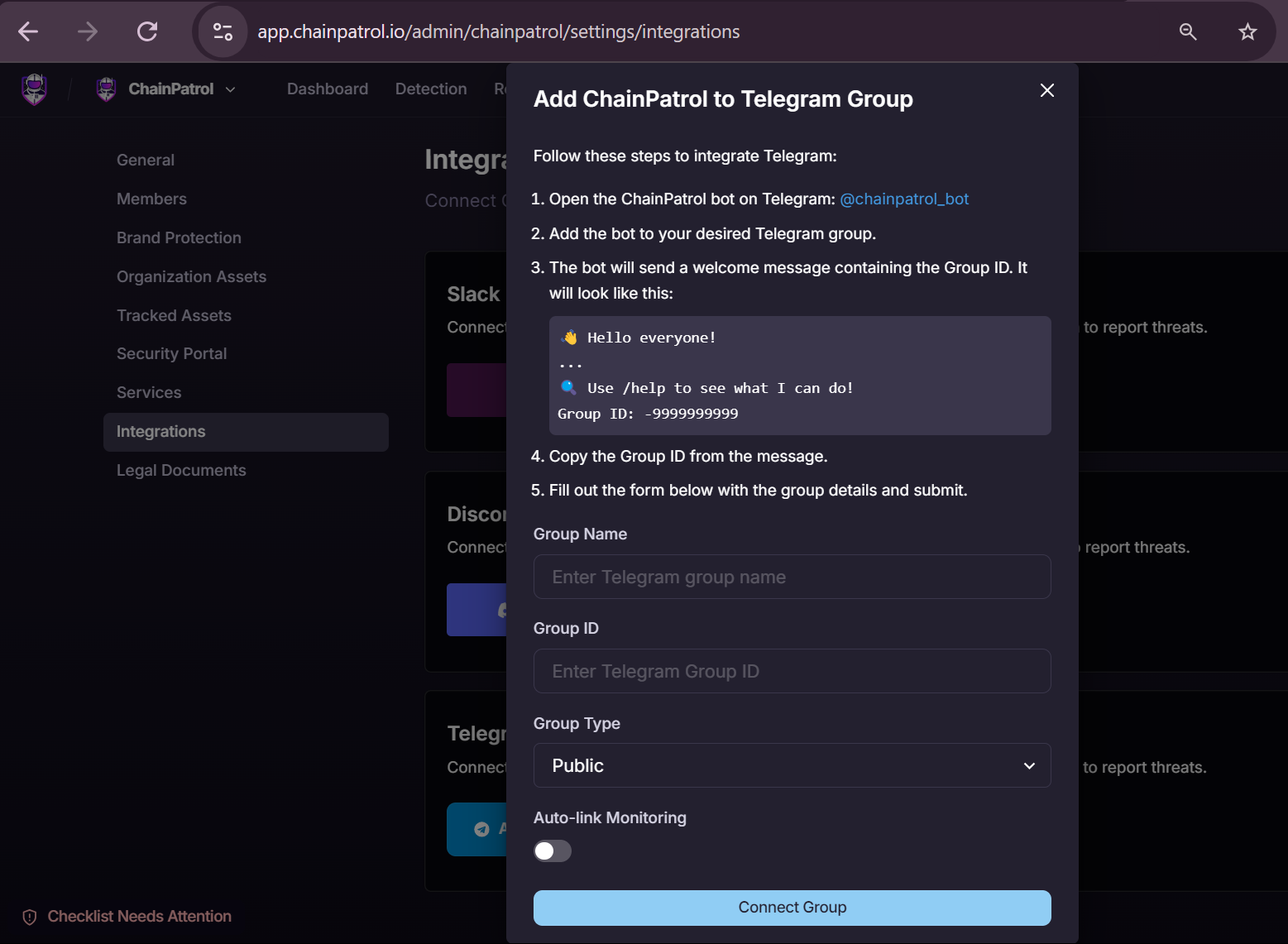
Start by adding the ChainPatrol Telegram Bot to your group chat. You can find the bot by searching for its username in Telegram.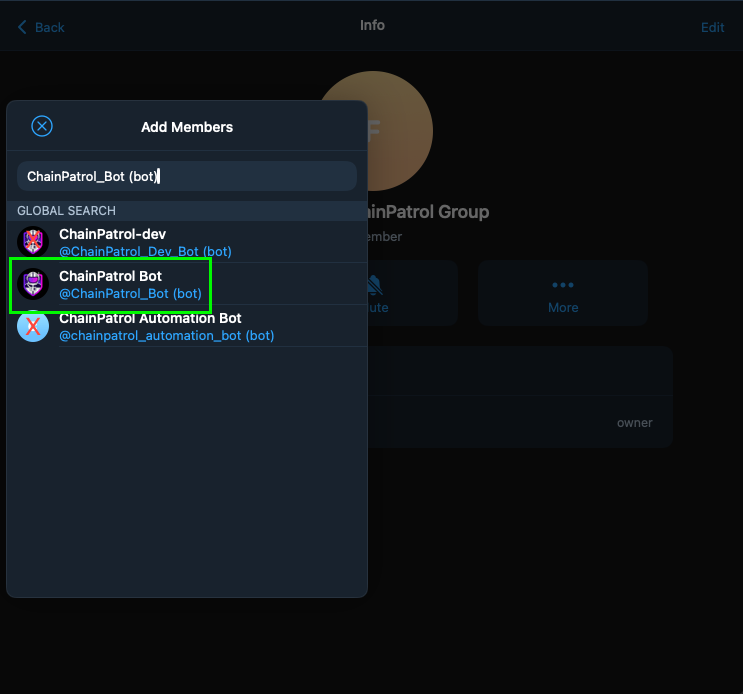
Bot Configuration
Go to the Bot Settings
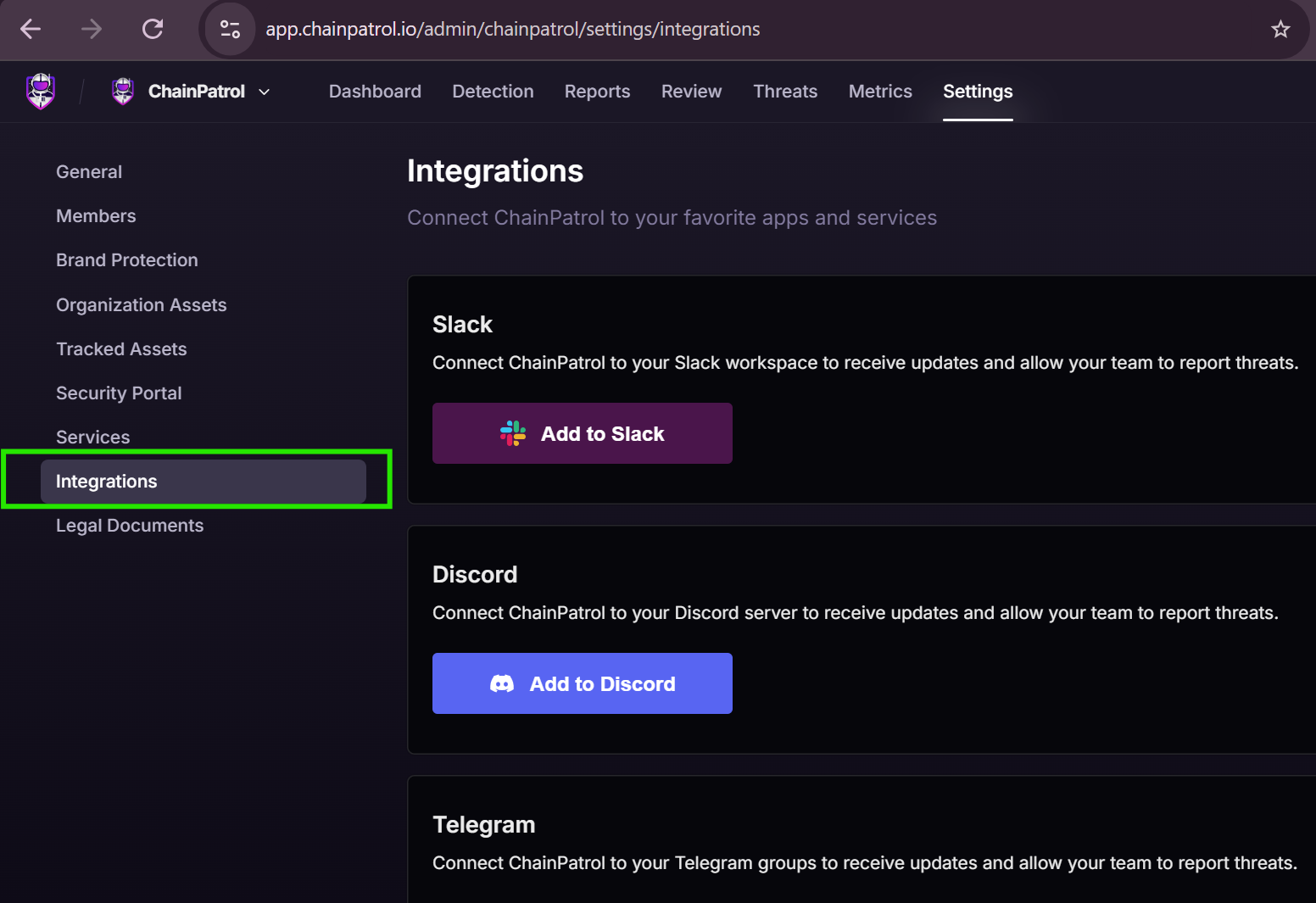
Visit your ChainPatrol Dashboard and go to the settings page.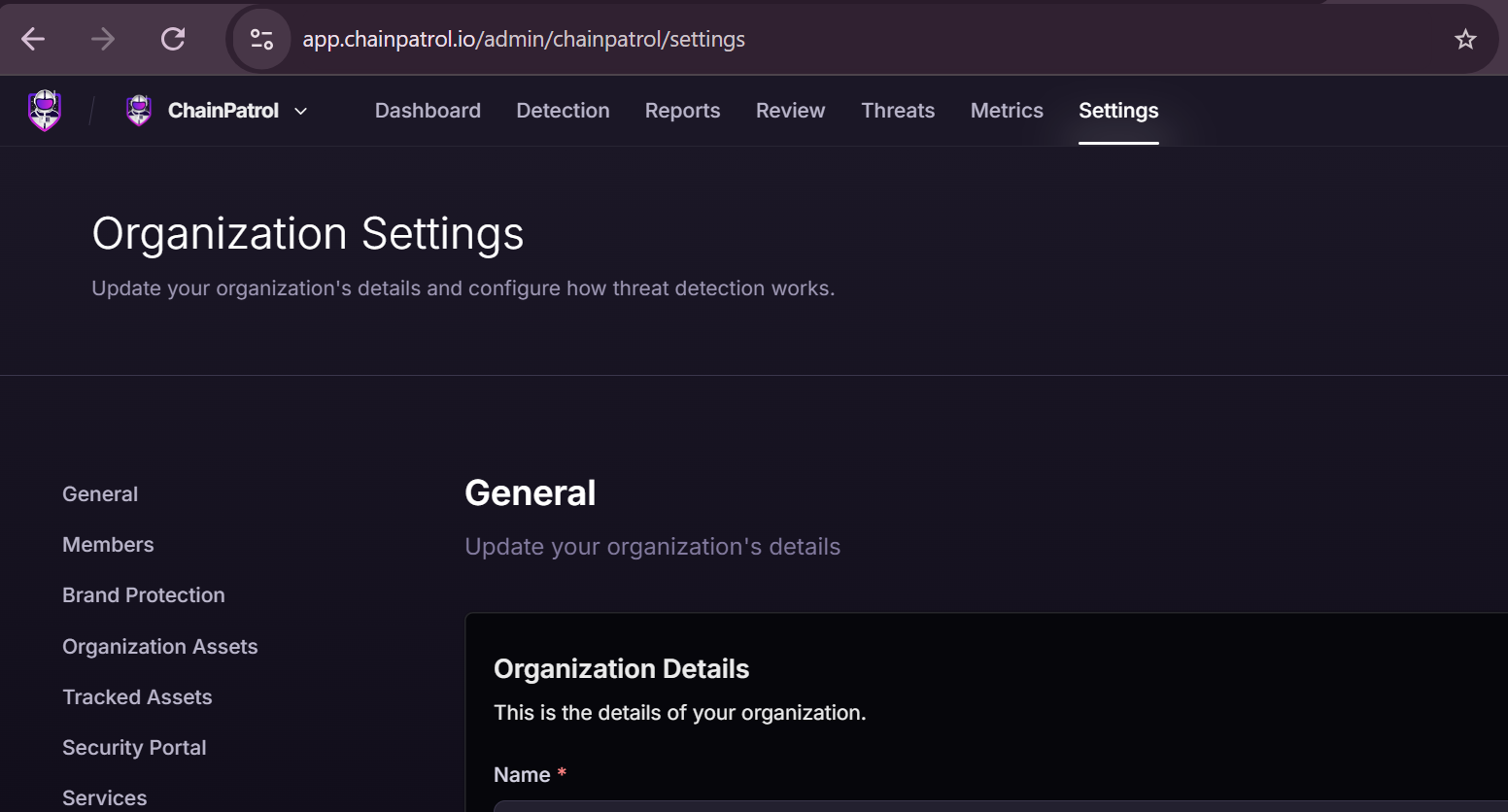
Usage
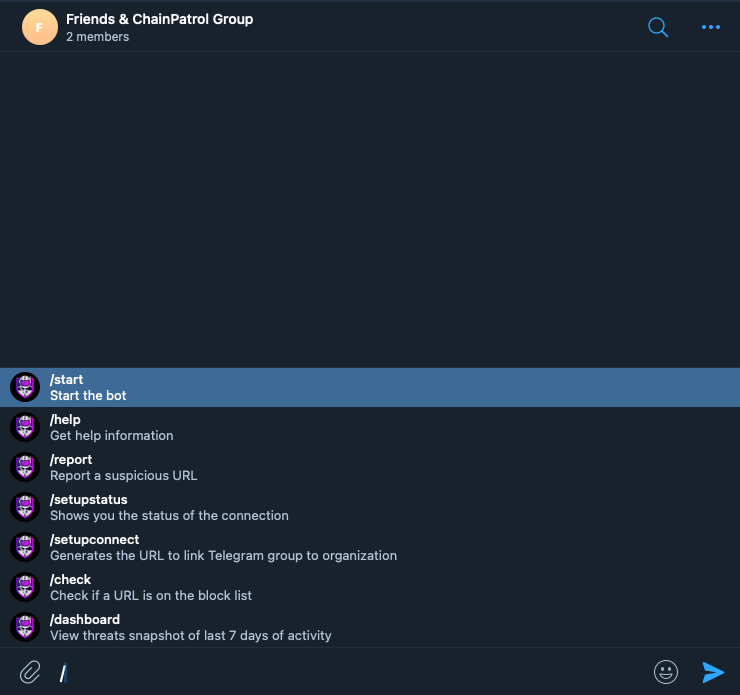
Once the bot is added to your group and the connection process is complete, you can use the following commands:Commands
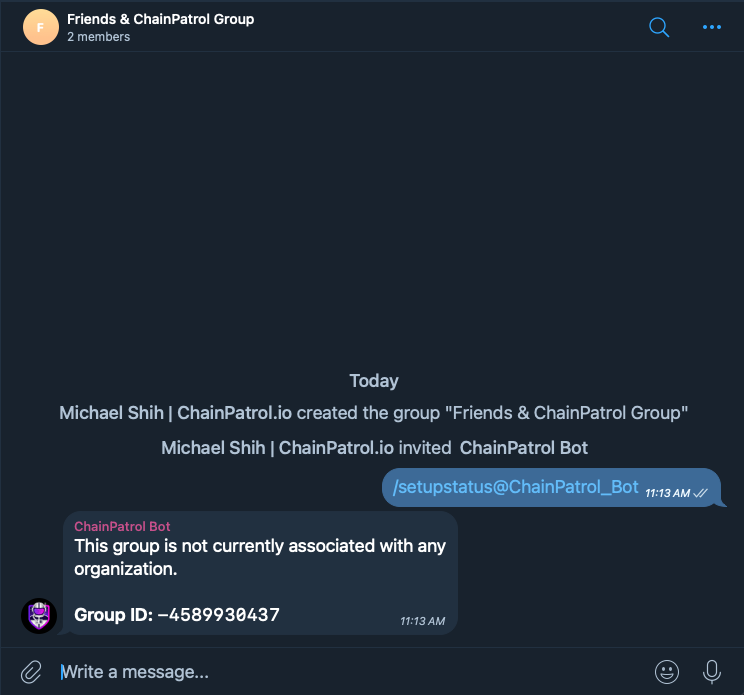
/report <url> <description>- Submit a scam report for the given URL with a brief description of why it’s suspicious/check <url>- Check if a URL is on the block list/setupstatus- Find out if this chat group is associated with an organization/setupconnect- Generates the URL to link Telegram group to organization/help- Display a list of available commands and their descriptions
Features
Auto-Link Monitoring
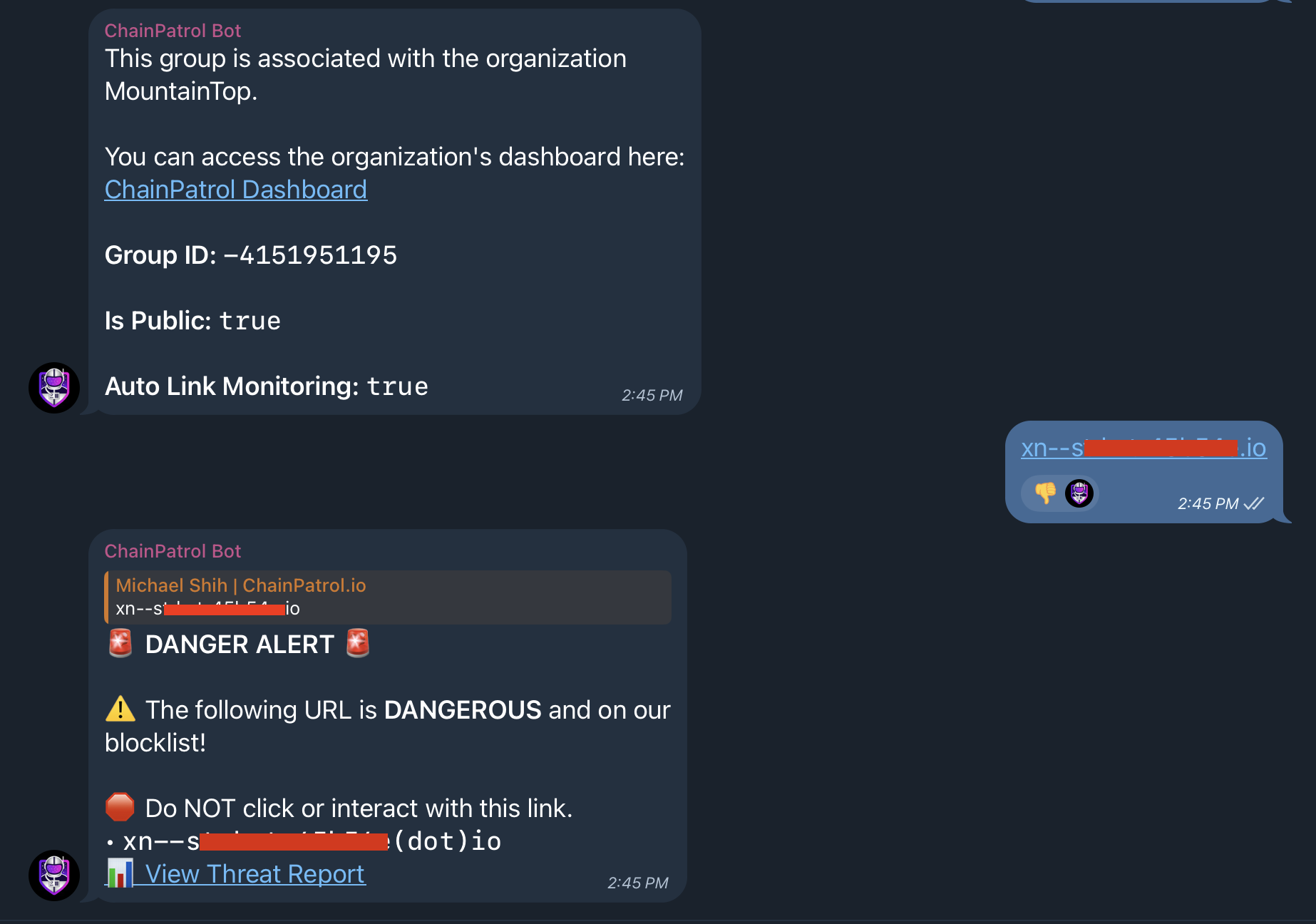
The ChainPatrol Telegram Bot automatically monitors all links shared in your group chat. This feature provides an additional layer of protection for your community:- Real-time Scanning: Every link posted in the group is instantly checked against ChainPatrol’s extensive database of known scams and malicious URLs.
- Automatic Alerts: If a potentially harmful link is detected, the bot immediately notifies the group, warning members about the potential risk.
- Proactive Protection: This feature helps prevent scams before they can affect your community members, even if no moderators are actively monitoring the group.